Hey there! As a supplier of Swing Gate Barrier RFID Systems, I've been getting a bunch of questions lately about how to adjust the sensitivity of the RFID reader in these systems. So, I thought I'd put together this blog post to share some tips and tricks that I've picked up over the years.
First off, let's talk about why you might need to adjust the sensitivity of your RFID reader. There are a few reasons for this. Maybe you're having issues with false reads, where the reader is picking up tags that aren't supposed to be read. Or perhaps you're having trouble getting a consistent read on tags, especially if they're a bit far away or if there's interference in the area. Adjusting the sensitivity can help you fine-tune your system to work better in your specific environment.
Now, before we dive into the actual process of adjusting the sensitivity, it's important to understand a bit about how RFID readers work. RFID, or Radio Frequency Identification, uses radio waves to communicate between a reader and a tag. The reader sends out a signal, and when a tag comes within range, it responds by sending back its unique identifier. The sensitivity of the reader determines how far away it can detect these tags.
So, how do you adjust the sensitivity? Well, it really depends on the specific RFID reader you're using. Most modern RFID readers come with some kind of software or configuration tool that allows you to adjust the sensitivity settings. Here are the general steps you can follow:
Step 1: Access the Configuration Tool
The first thing you'll need to do is access the configuration tool for your RFID reader. This might be a web-based interface that you can access through a browser, or it could be a standalone application that you need to install on your computer. Check the user manual for your reader to find out how to access the configuration tool.
Step 2: Locate the Sensitivity Settings
Once you're in the configuration tool, look for the settings related to sensitivity. This might be labeled as "Sensitivity," "Read Range," or something similar. The exact location of these settings can vary depending on the manufacturer and model of your reader.
Step 3: Adjust the Sensitivity Level
Now that you've found the sensitivity settings, it's time to make some adjustments. Most configuration tools allow you to adjust the sensitivity level using a slider or by entering a specific value. If you're having issues with false reads, you might want to lower the sensitivity level. This will reduce the read range of the reader and make it less likely to pick up tags that aren't supposed to be read. On the other hand, if you're having trouble getting a consistent read on tags, you might want to increase the sensitivity level. This will increase the read range of the reader and make it more likely to detect tags that are further away.

Step 4: Test the System
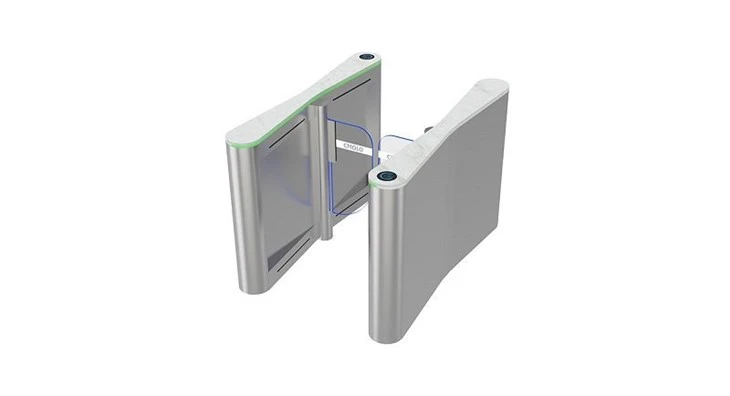
After you've made your adjustments, it's important to test the system to see how it's working. Walk through the swing gate barrier with a few different tags and see if the reader is able to detect them consistently. If you're still having issues, you might need to make further adjustments to the sensitivity level.
It's also worth noting that there are some other factors that can affect the sensitivity of your RFID reader. For example, the type of tags you're using, the environment in which the system is installed, and the presence of other electronic devices can all have an impact. Here are a few additional tips to keep in mind:
- Choose the Right Tags: Different types of RFID tags have different read ranges and sensitivities. Make sure you're using tags that are compatible with your reader and that are suitable for your specific application.
- Consider the Environment: The environment in which the system is installed can have a big impact on the performance of the RFID reader. For example, metal objects, water, and other electronic devices can all interfere with the radio waves used by the reader. Try to install the reader in an area that is free from these types of interference.
- Use Antenna Adjustments: Some RFID readers come with adjustable antennas. By adjusting the position and orientation of the antennas, you can improve the read range and sensitivity of the reader.
So, there you have it! That's how you can adjust the sensitivity of the RFID reader in a Swing Gate Barrier RFID System. I hope these tips and tricks have been helpful. If you have any further questions or if you're interested in purchasing a Swing Gate Barrier RFID System, feel free to reach out to us. We'd be happy to help you find the right solution for your needs.
If you're looking for more information about our products, you can check out our Automatic Security Swing Turnstile, Pedestrian Controlled Metro Platform Validator Machine, and Bi-directional Swing Barrier Turnstile. These are all great options for enhancing the security and efficiency of your access control system.
Thanks for reading, and I hope to hear from you soon!
References
- RFID Handbook: Fundamentals and Applications in Contactless Smart Cards, Radio Frequency Identification and Near-Field Communication, Klaus Finkenzeller
- Introduction to RFID Technology, Randy Sarafan